HOW TO BYPASS THE ANNOYING AUTHENTICATOR BECAUSE IF THE SCHOOLBOARD WON'T FIX IT I WILL (made by will8262)
heyo! if you're reading this, you probably cant log into your school account because of the 2FA and microsoft authenticator. Here's how to get through it without using a phone.
STEP 1: AUTHENTICATOR
Open the chrome web store, and search Authenticator App, and click on the one with the blue shield logo and the lock. Download that, (it'll take a while,) and then skip the guide and mobile advertisement. This is the tool you'll be using.
STEP 2: LOGGING IN
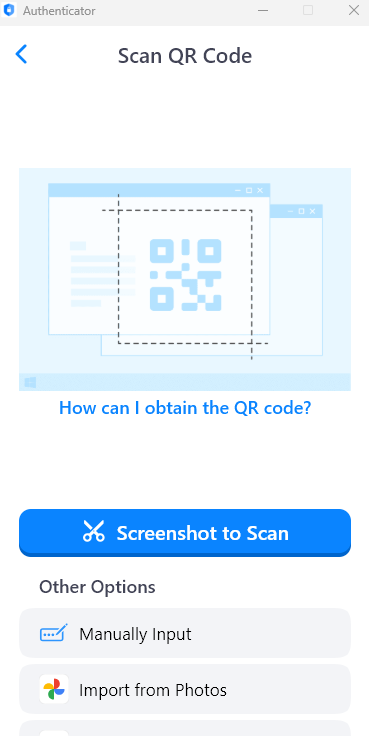
Now, enter the site that's asking you to download Microsoft Authenticator and go all the way back to the first screen where you have the option to use another authenticator. Choose that, and continue along until you find the QR Code, in which case you should now open Authenticator and scan it. Follow the series of steps provided on those apps and it should let you in. (If it says you don't have 2 Factor Authentication enabled just try again or go to Settings - Manage your Google Account - Security and see if you can do anything from there, although it normally won't let you.)
For a guide on how to use Authenticator if you can't figure it out, check their dedicated homepage and follow the tutorial there.
If you have any questions, please email will8262@scdsb.on.ca and I will attempt to help you through it.
Sorry for the lack of images, it won't let me access it again. If I find a way to get through that, it'll be updated.
Made with help by step3431 and jduong.